
Propose and Edit Translations
How to edit a translated phrase
We know AI translation isn't perfect. AI translations aren't 100% accurate as they can't understand the context of your phrases, grammar, etc. If relying on AI translations, we recommend having a native speaker review the translations and make edits. Or simply order translations from one of our third-party professional translation providers.
Editing Translations
1. Select a language
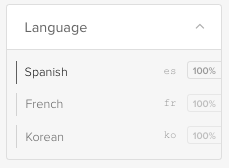
Go to your Phrases tab, select a language in the left sidebar (and select the Published status).
2a. Click Edit
With AI translations enabled, there will already be proposed translations. You can click on Edit to change the translation, or just click on an existing translation.

2b. Add translation
Without AI translations enabled, you can add your own translation by clicking on
+ Add translation.

2c. Advanced Translation Memory
When using our Advanced Translation Memory feature, similar phrases, and their translations will be listed below the translation, allowing you to select parts of previous translations to use in the current phrase's translation.
This will help to keep your translations consistent across phrases and will save you time and money in your translation workflows.
Read more here on how to use this feature.
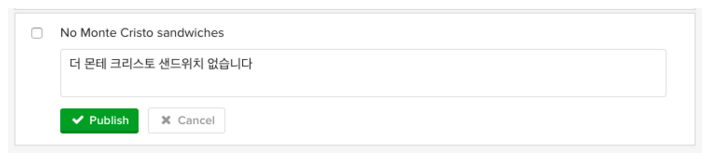
3. Click Publish
Don’t forget to save by clicking on the green Publish button.
Mark as Human
Sometimes an AI translation is just fine! In this case, you can select the Mark as human link for that phrase to mark that a human has looked at the translation and has approved it.
Mark as Human During Import
When importing translations, you can also mark them all as translated by a human by selecting the Mark all phrases as human reviewed. checkbox during the import.
View the HTML of the Phrase
To better understand how a phrase is constructed with embedded HTML elements, click on the HTML link.
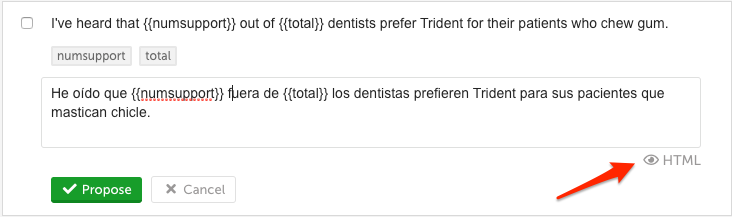
This will display representations for any internal HTML elements.
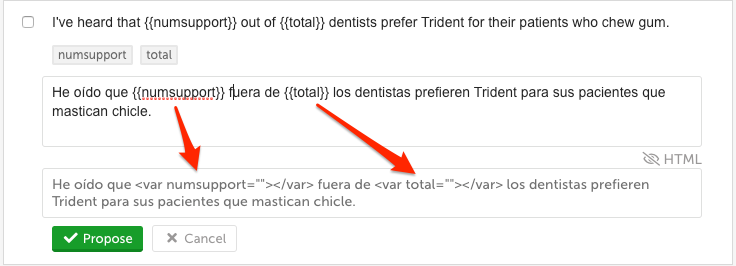
Click on the HTML link to hide the HTML.

Translation QA Workflow
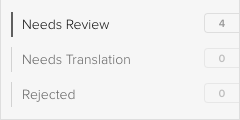
With the Translation QA feature enabled, all proposed translations will await approval for publishing in Needs Review. Phrases within Needs Translation have no current or previously proposed translation. When translations pass a quality review -- simply click Publish to activate it live on your website.
With the 'Translation QA' state enabled (requiring review of translations before publishing live on your website), new proposals (either from the AI translation engine, an in-house translator, or our 3rd-party providers) will be waiting for you in the Needs Review bin.
Read more about the Localize Translation QA workflow.
Updated 11 months ago